"If you only have a server IP, you're still missing the most important part for production apps: a stable and secure HTTPS URL."
When a development team delivers an API or an admin/web portal, companies often receive only a server IP address. That may work for quick tests, but it becomes a problem when it is time to publish and maintain an app in stores.
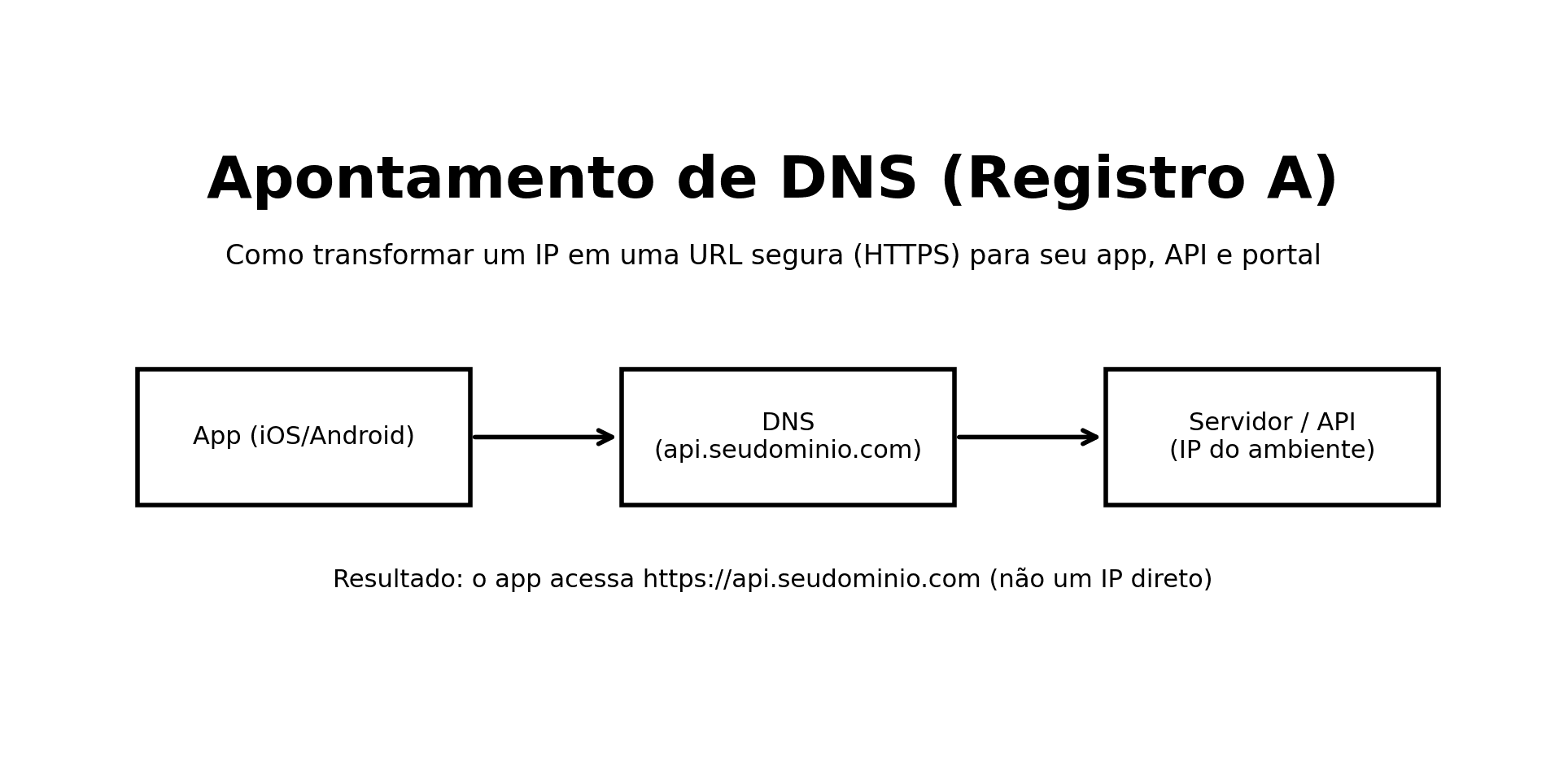
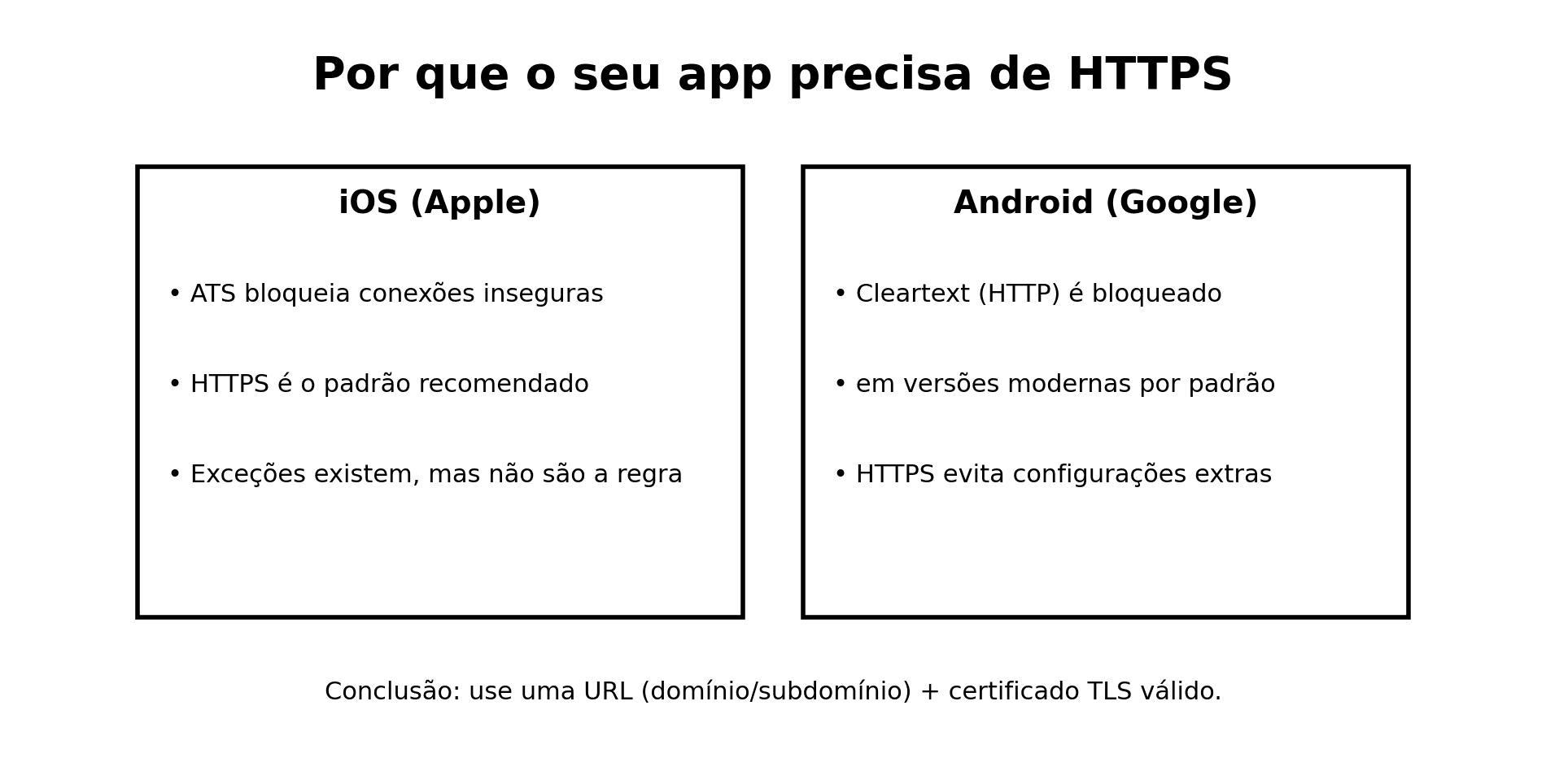
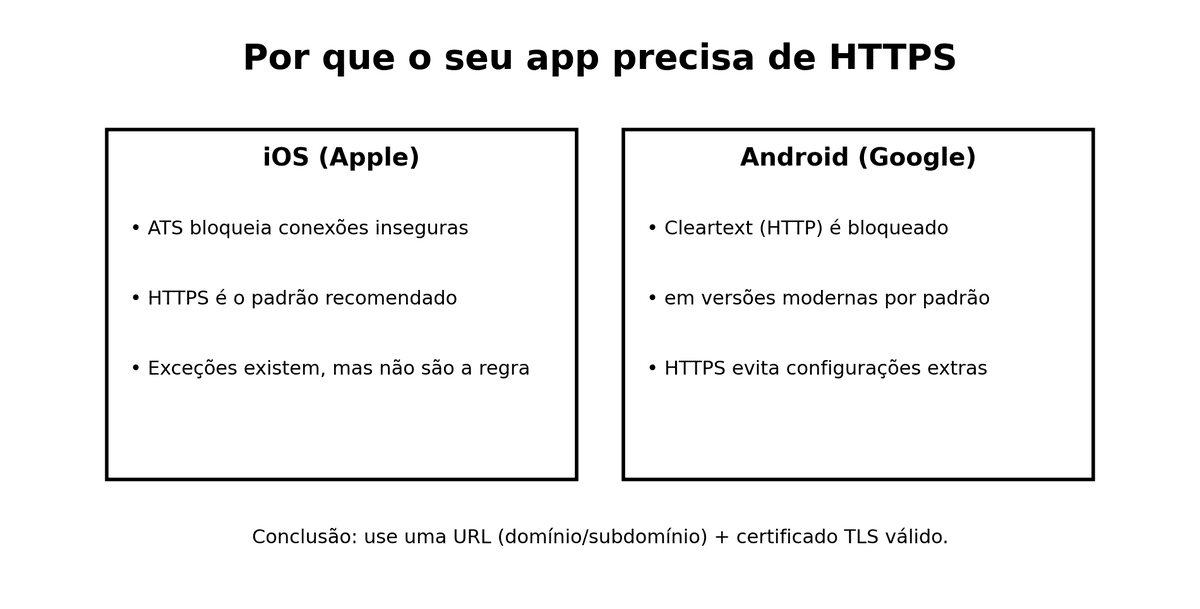
In practice, modern iOS/Android apps and web apps should connect to the backend through HTTPS (secure transport). To do HTTPS properly, you need a domain or subdomain, not only an IP.
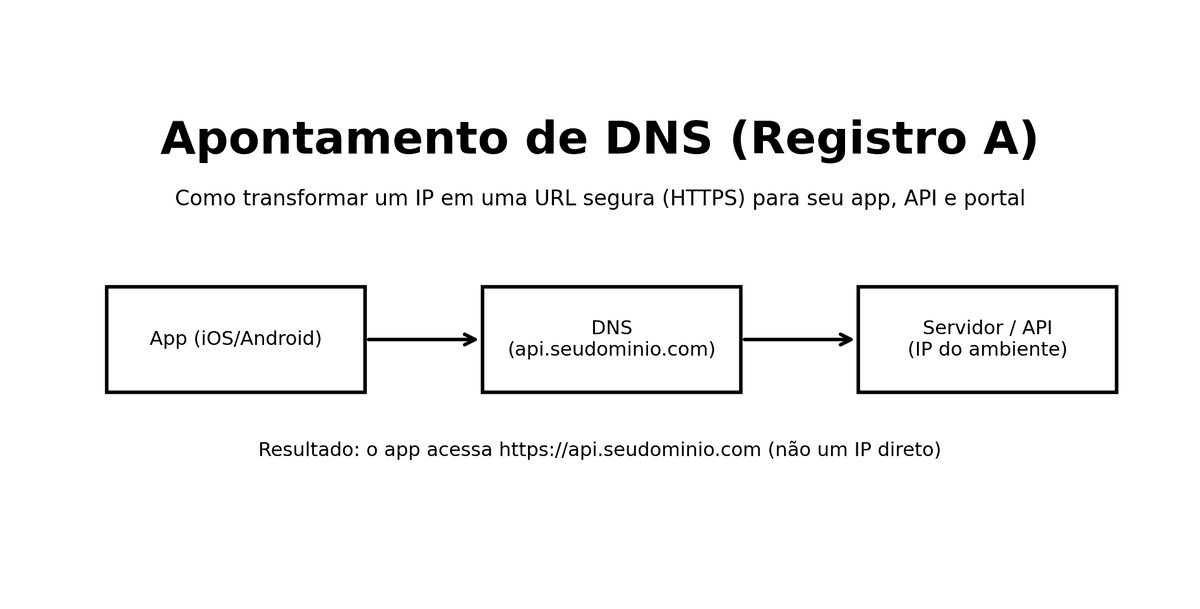
In this article, you'll learn how to configure DNS A record pointing (the most common setup when you receive an IPv4) and how to organize this process without unnecessary friction.
What you'll learn
- Why using an IP directly in a production app API is risky
- What DNS is and what an A record does
- How to choose the right subdomain without buying a second domain
- A standard step-by-step that works for any provider
- Provider-specific notes: Registro.br, GoDaddy, Cloudflare, AWS, Google, Microsoft, and others
- What DNS propagation means (in plain language)
- Using your existing domain vs. buying a separate one
- A final checklist to avoid mistakes
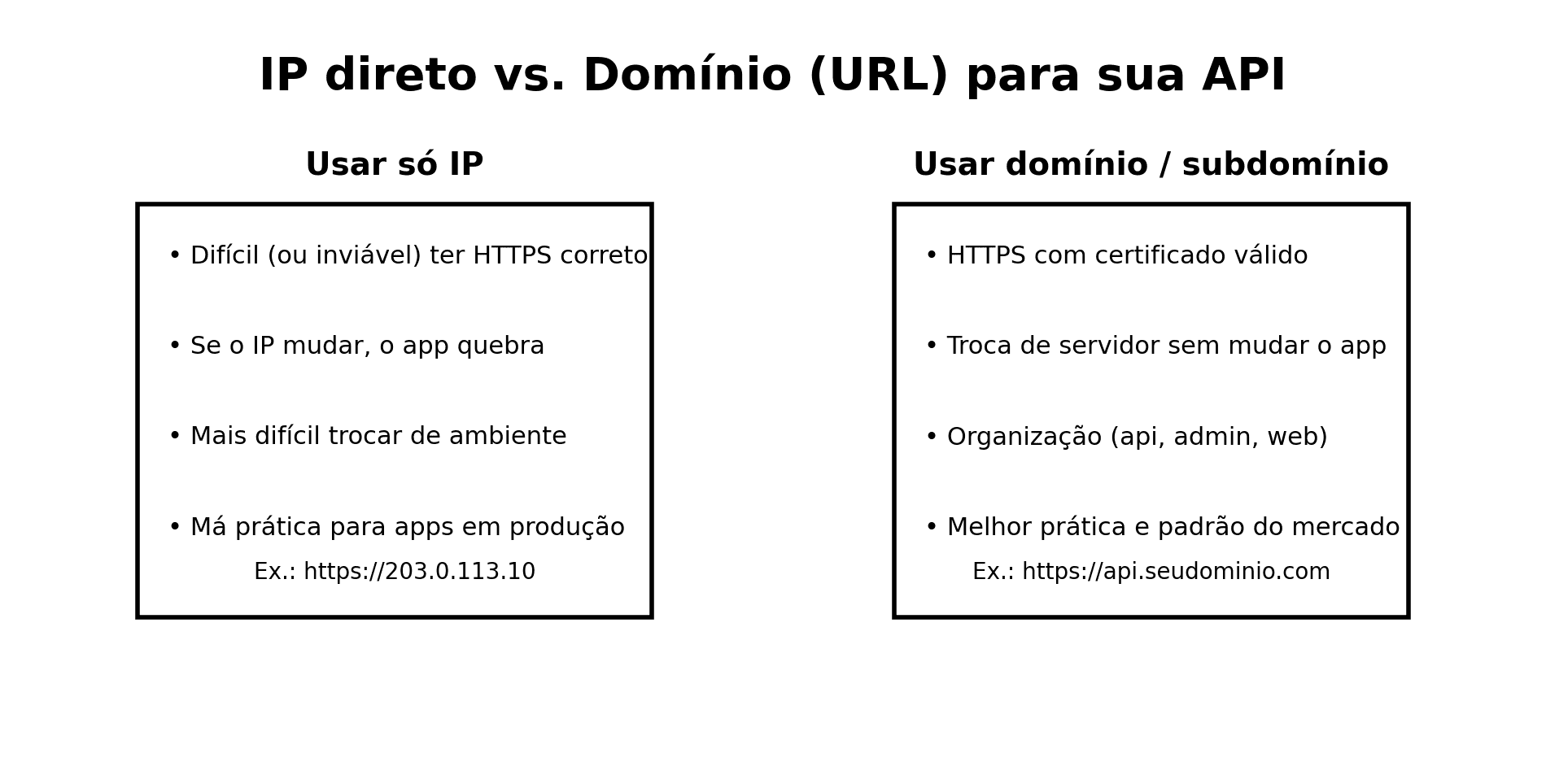
Why not use only the server IP
These are the most common reasons this becomes a blocker at publishing time:
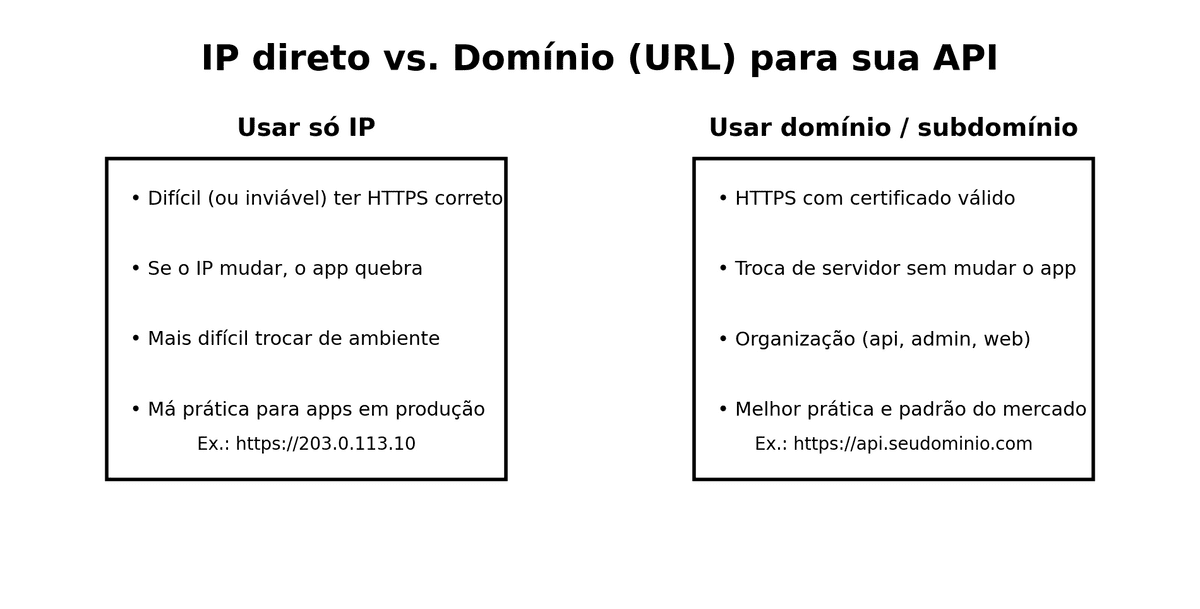
- Proper HTTPS setup becomes hard (or impractical).
TLS certificates are issued for hostnames (URLs), not for most direct IP use cases.
- IP changes can break your app.
If infrastructure changes (new server, migration, load balancer), the IP can change and force emergency updates.
- Domains give you structure and stability.
Example:
api.yourdomain.com -> APIadmin.yourdomain.com -> admin portalwww.yourdomain.com -> company sitestaging-api.yourdomain.com -> staging- Security and best practices.
For production, the expected baseline is HTTPS with a valid certificate.
Quick concept: DNS and A record
DNS is the internet's address book: it maps human-friendly names (like api.yourdomain.com) to real network addresses.
An A record maps a hostname to an IPv4 address (for example 203.0.113.10).
If your infrastructure is IPv6-first, the equivalent record type is usually AAAA.
Pre-checklist before starting
Before touching DNS, confirm:
- Which domain you'll use (for example
yourdomain.com).
- Which subdomain you'll create (for example
api).
- The correct IPv4 from your technical team.
- Where DNS is actually managed (registrar and DNS host can be different).
- You're adding a new record, not accidentally changing email/site records.
- You understand that DNS does not configure ports or certificates by itself.
Important note:
- A records only map name -> IP.
- Production app endpoints should normally be
https://api.yourdomain.com (HTTPS default on port 443).
Standard step-by-step (works in any provider)
- Open your DNS management panel.
- Click to add a new DNS record.
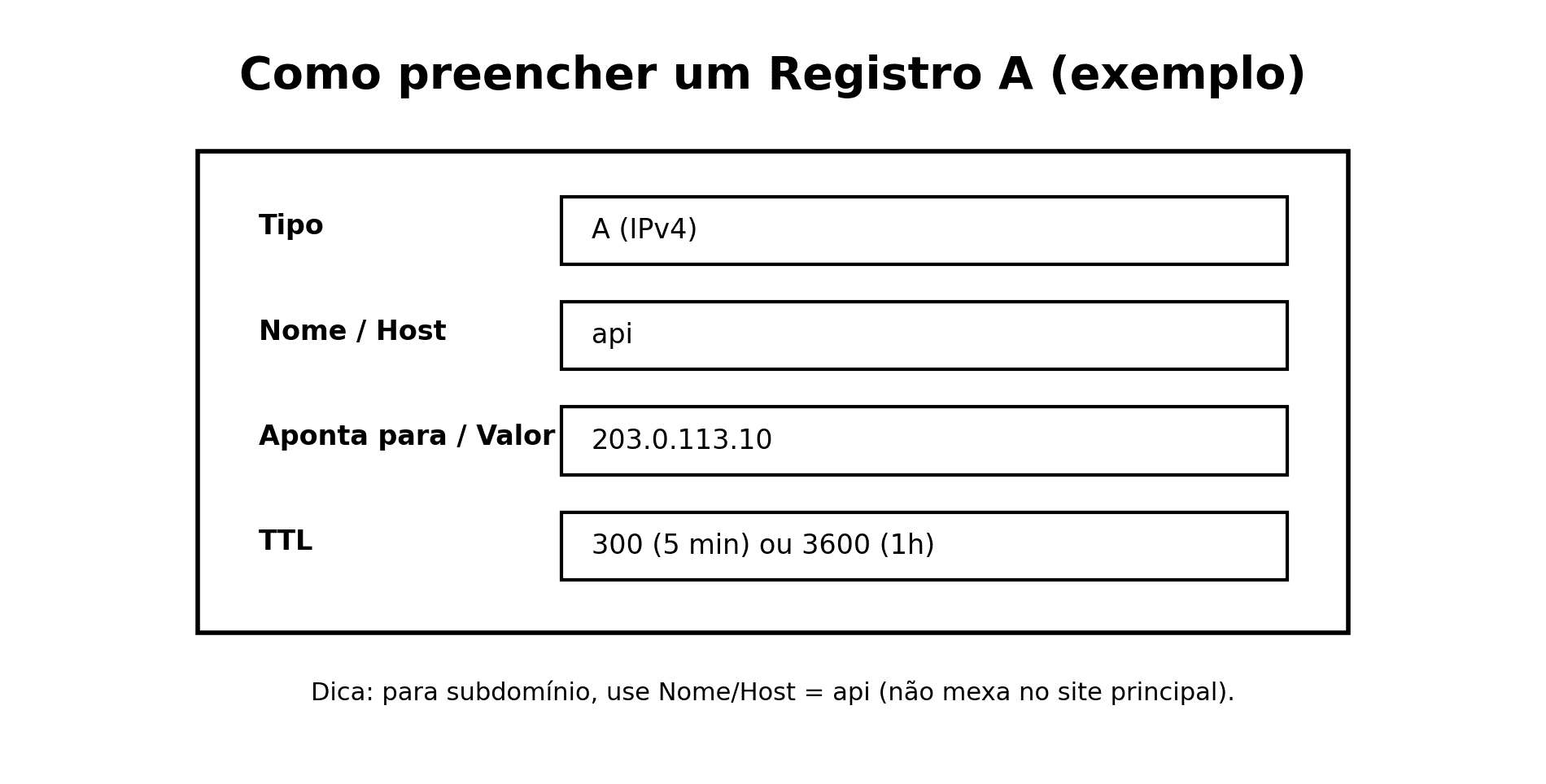
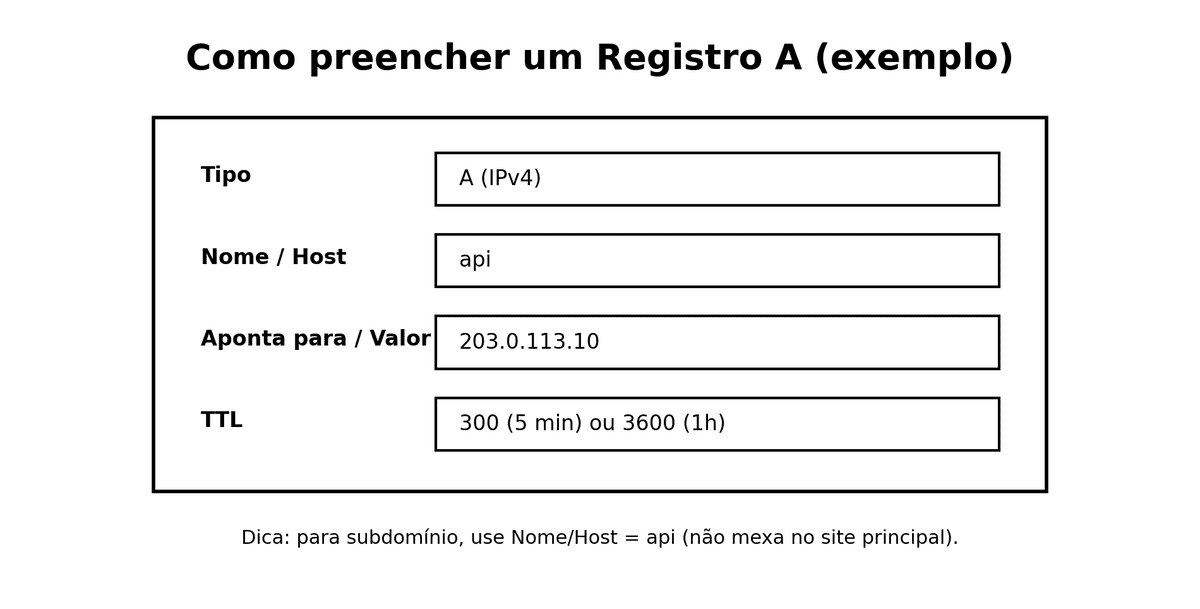
- Select record type A.
- Fill the fields:
- Host/Name:
api
- Value/Points to:
YOUR_SERVER_IP
- TTL:
300 (5 min) or 3600 (1h)
- Save.
- Wait for DNS propagation.
- Configure HTTPS on the server or reverse proxy.
If your team gave you a hostname instead of an IP
Sometimes your provider endpoint looks like this:
my-load-balancer.something.cloudmy-distribution.something.cdn
In this case, the correct setup may be:
CNAME for subdomains, or- provider-specific alias records (for example Route 53 alias).
If you only got a hostname, confirm with the technical team before creating an A record.
DNS propagation (without jargon)
After saving DNS, changes are not visible everywhere at the exact same second.
That delay is called propagation, and it can range from minutes to several hours depending on TTL, caches, and ISP resolvers.

What if the IP changes later?
If your API subdomain is already in place, you usually only need to update the record value to the new IP.
The app can keep using the same URL (api.yourdomain.com) while infrastructure changes behind the scenes.
This is one of the biggest advantages of a domain-first setup.
Provider notes
1) Registro.br (when DNS is hosted there)
- Go to DNS zone management.
- Add a new A entry.
- Set host (
api), value (IPv4), and TTL.
- Save and validate propagation.
2) GoDaddy
- Open DNS records for the domain.
- Add type A.
- Host:
api, points to: IPv4.
- Save and wait.
3) Cloudflare
- Open DNS tab.
- Add A record.
- Host:
api, value: IPv4.
- Decide proxy mode (orange cloud) with your technical team.
4) Amazon AWS (Route 53)
- Open hosted zone.
- Create record.
- Type: A, name:
api, value: IPv4.
- Save.
5) Google Cloud DNS
- Open Cloud DNS zone.
- Add record set.
- Type: A, name:
api, data: IPv4.
6) Microsoft Azure DNS
- Open DNS zone.
- Add record set.
- Type: A, name:
api, IP address: IPv4.
7) Namecheap (extra)
- Advanced DNS.
- Add host record type A.
- Host
api, value IPv4, save.
8) Hostinger (extra)
- DNS zone editor.
- Add type A.
- Host
api, value IPv4, TTL.
Other providers
The names in the UI change, but the logic is the same:
- choose A,
- set host,
- set IPv4,
- save and wait propagation.
Use your existing domain or buy a separate one?
Both options can work. In most projects, using your existing domain with subdomains is simpler.
Advantages of using your existing domain
- Fewer things to renew
- Stronger brand consistency
- Less operational overhead
Disadvantages (and how to avoid them)
- Accidental edits in DNS zone can affect other services
Use change control and clear ownership.
When a separate domain makes sense
- Strict governance/isolation requirements
- Different brand/product needing independent ownership
What to request from your technical team
Ask for:
- Production server IPv4 (or explicit guidance to use CNAME/alias)
- Subdomain to create (usually
api)
- A healthcheck endpoint (for example
/health)
- Confirmation that HTTPS certificate will be installed after DNS setup
Final checklist (copy and paste)
When this is in place, your app has a stable and secure URL to communicate with backend services and move safely toward publication.